# Notifications in react : react-toastify
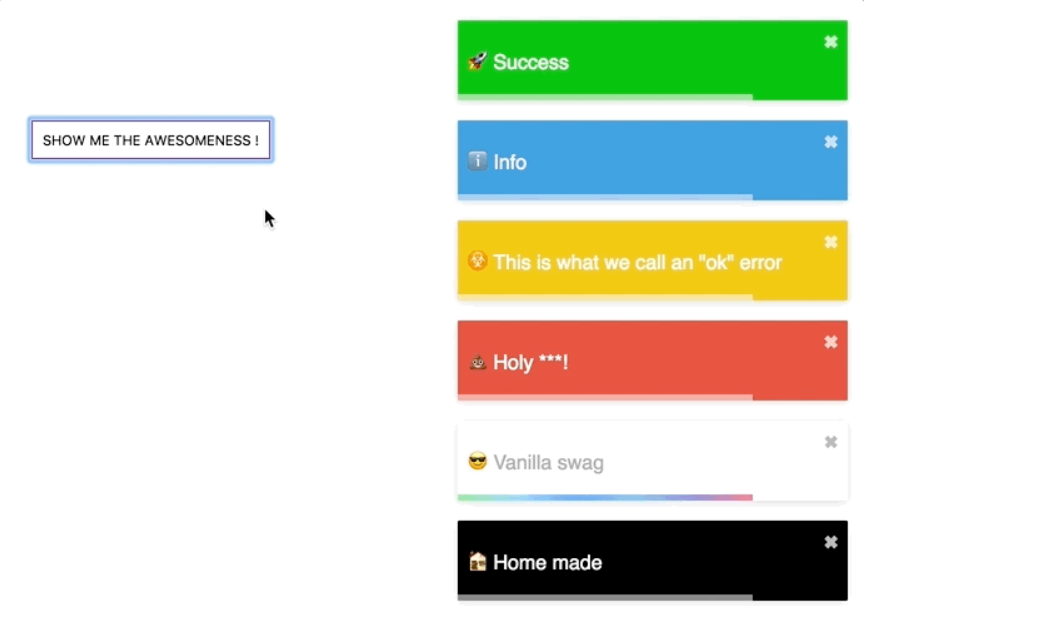
> This is not like pop notifications. This is more like a customized alert notification.
Click [here](https://github.com/fkhadra/react-toastify#readme) to visit the official GitHub page of this project.
# How to use react-toastify
## Step 1: Install it
```markdown
npm i react-toastify
```
## Step 2: Import it in app.js file
```js
import React from 'react';
import { ToastContainer } from 'react-toastify';
import 'react-toastify/dist/ReactToastify.css';
function App(){
return (
);
}
```
Import ToastContaner from react-toastify and the CSS file form react-toastify/dist/
Then just use the ToastContainer container.
This is how you configure react-toastify.
## Step 3: Use it
Just import toast from react-toastify in the file where you want to use it
```js
import { toast } from 'react-toastify'
if(error) toast.alert("an error has occured ")
```
## There are different kinds of toast containers such as
1. alert
2. success
3. info
4. warning
You can read the full documentation [here](https://fkhadra.github.io/react-toastify/introduction/)
> NOTE: you can also customize how the popup will look like. Now you can just read the documentation to know all kind of things that you can do with this.